










Skip to content

Database for collectors

Everything starts with your database

Your entire collection, organized and connected in one place. A structure designed so you can easily access each artwork’s information and keep it up to date.

More than 3,000 art professionals manage their collections with ITGallery

  • Alzueta Gallery
  • Bendana Pinel
  • Filomena Soares
  • Gallery Nosco
  • Karen Huber
  • NF
  • Parra & Romero
  • Portas Vilaseca
  • Ultravioleta
  • Travesia Cuatro
  • Studio Trisorio
  • Sketch

Database for collectors

All your collection’s information in one place

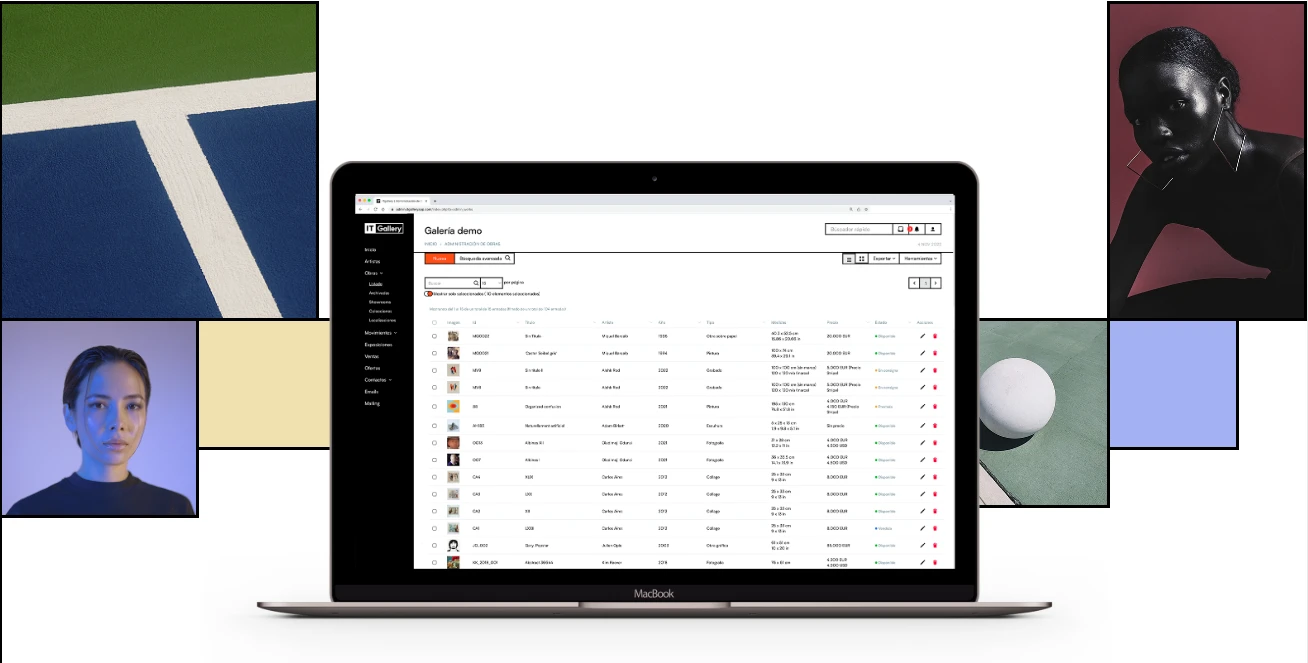
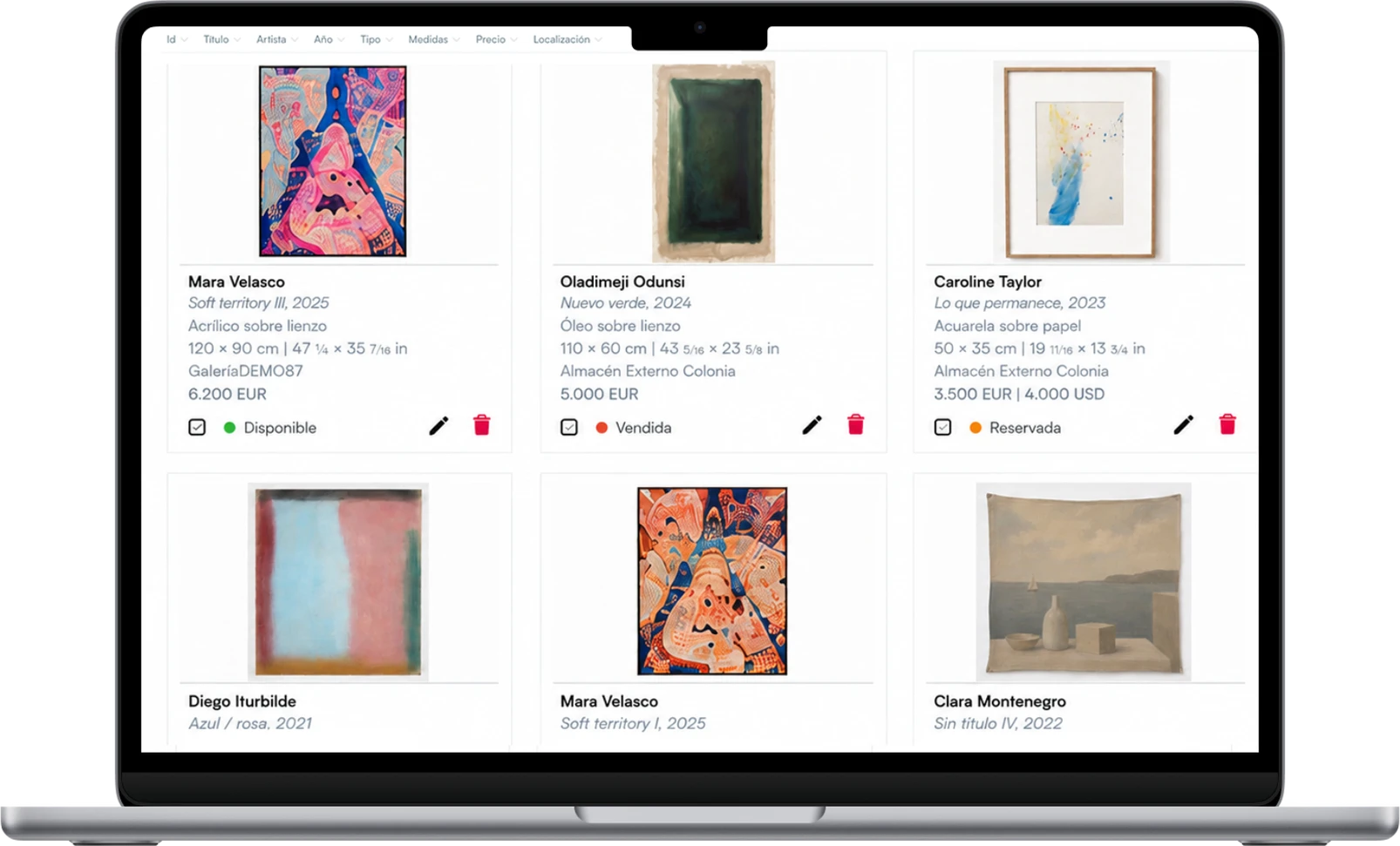
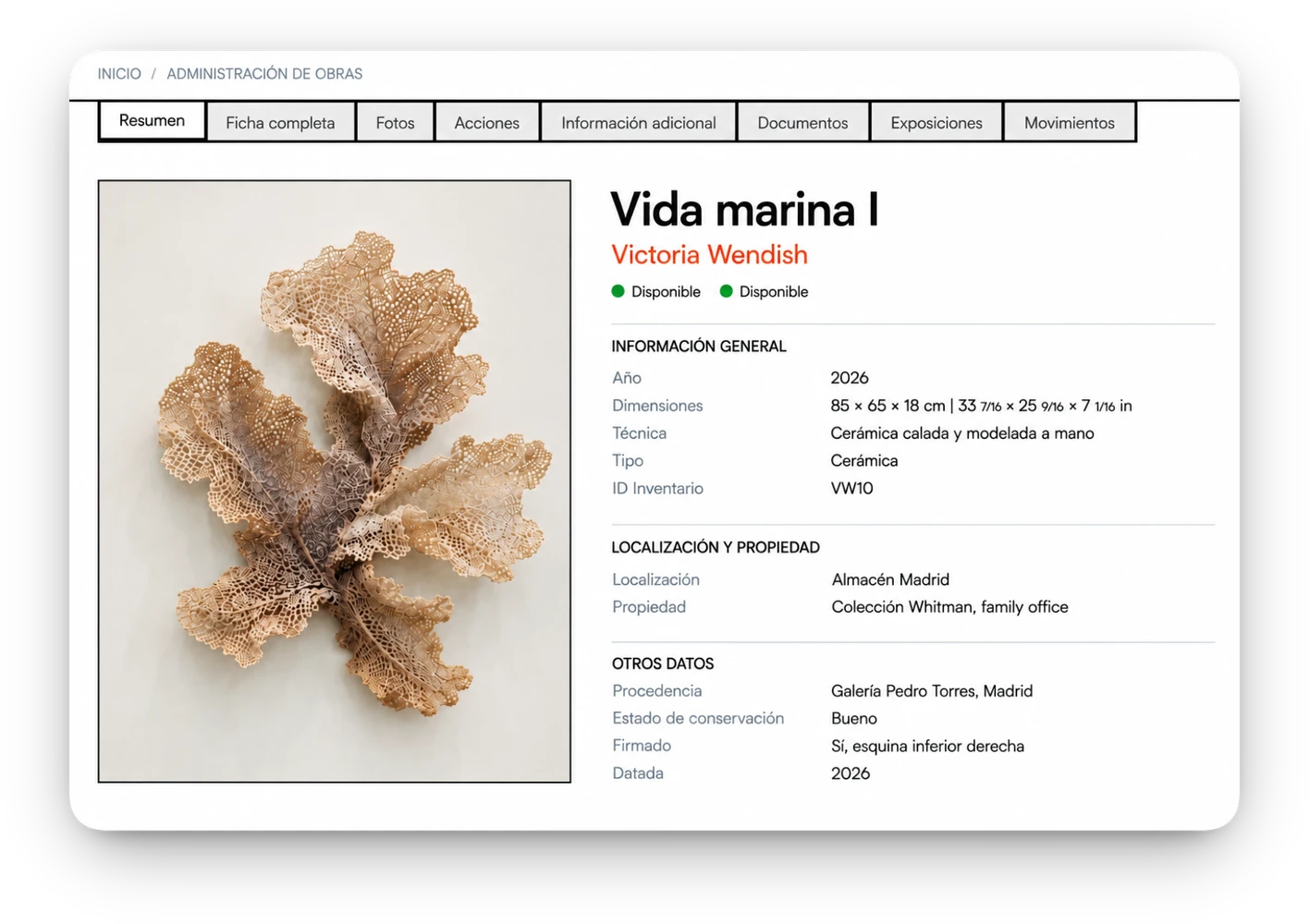
Organize your artworks, artists, acquisitions, documents and locations from a single database. All the information is linked, so you can access its history and context whenever you need it.
All features

Much more than storing information

Your database works with you: find any artwork in seconds, track its status and location, and generate the documents you need, all without leaving your database.

  • Find any artwork

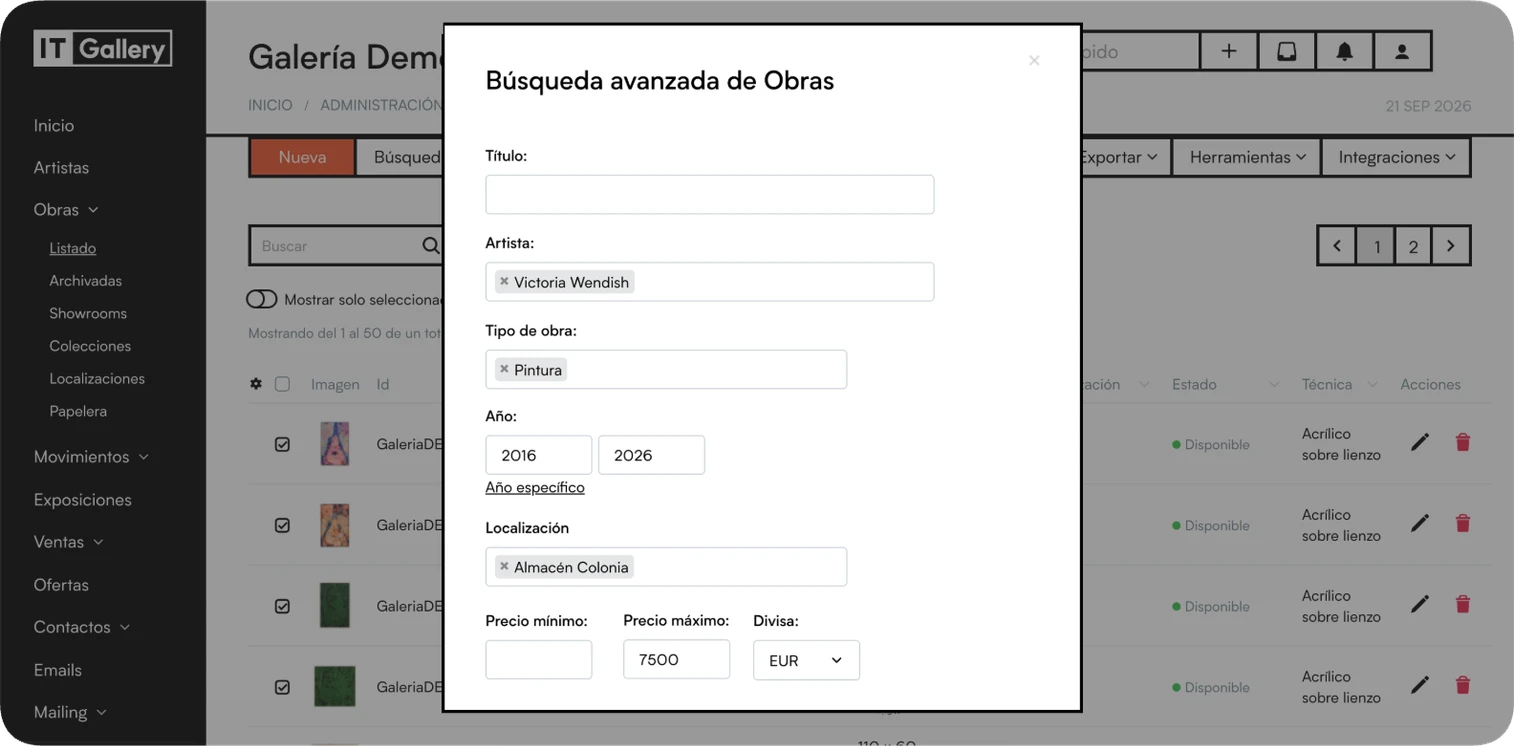
    Search and filter your collection by artist, location, artwork type, dimensions and other fields to quickly find what you need.

  • See where every artwork is

    Check where each piece is and keep its history of movements, loans and deposits up to date.

  • Track your collection’s value

    Record acquisition prices, valuations and other financial data for each artwork to keep your collection’s history and value up to date.

  • Every document, linked to the artwork

    Keep photos, certificates, invoices, dossiers and documents linked to each artwork.

  • Generate PDFs and documents

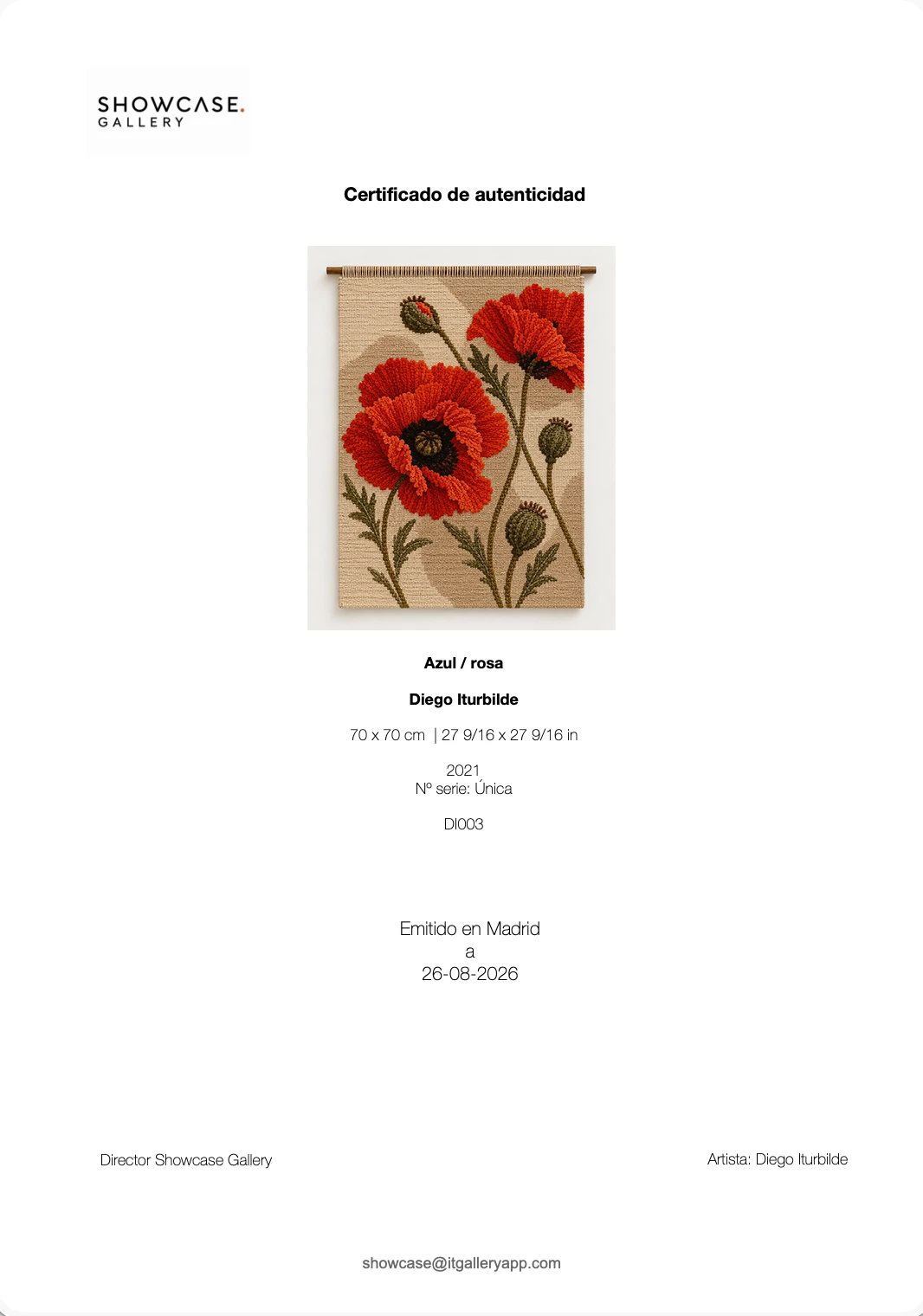
    Select the artworks you need and create PDFs, fact sheets and other documents using the information stored in your database.

Find any artwork

Search and filter your collection by artist, location, artwork type, dimensions and other fields to quickly find what you need.

Key features


  • Quick search Find artworks by typing a title, an artist or other terms straight into the search bar.
  • Artwork details Filter by artist, series, artwork type, technique, support, year, ownership, tags and other recorded data.
  • Value and acquisition Find artworks by price, currency and other financial data recorded in your collection.

  • Advanced search Combine different criteria to pinpoint exactly the artworks you need.
  • Location and characteristics Search by location, dimensions and other characteristics such as framing, packing or insurance.

See where every artwork is

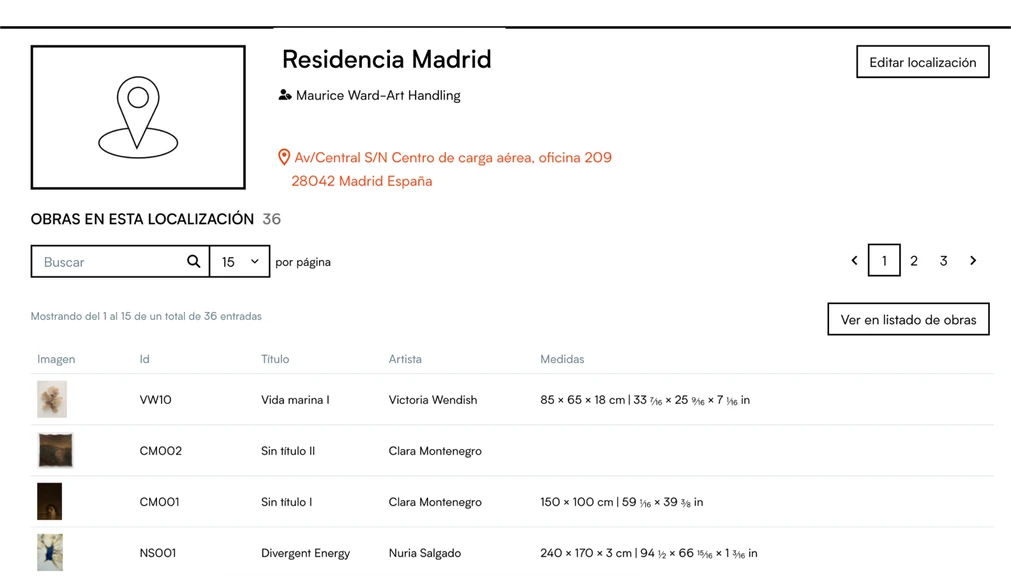
Check where each piece is and keep its history of movements, loans and deposits up to date.

Key features


  • Locations Organize your artworks by location and quickly see which pieces are in each one.
  • Location history See where each piece has been and keep a record of its location changes.

  • Detailed location Use sub-locations to record more precisely where each artwork is.
  • Loans and deposits Keep a record of artworks that are on loan, on deposit or temporarily away from their usual location.

Track your collection’s value

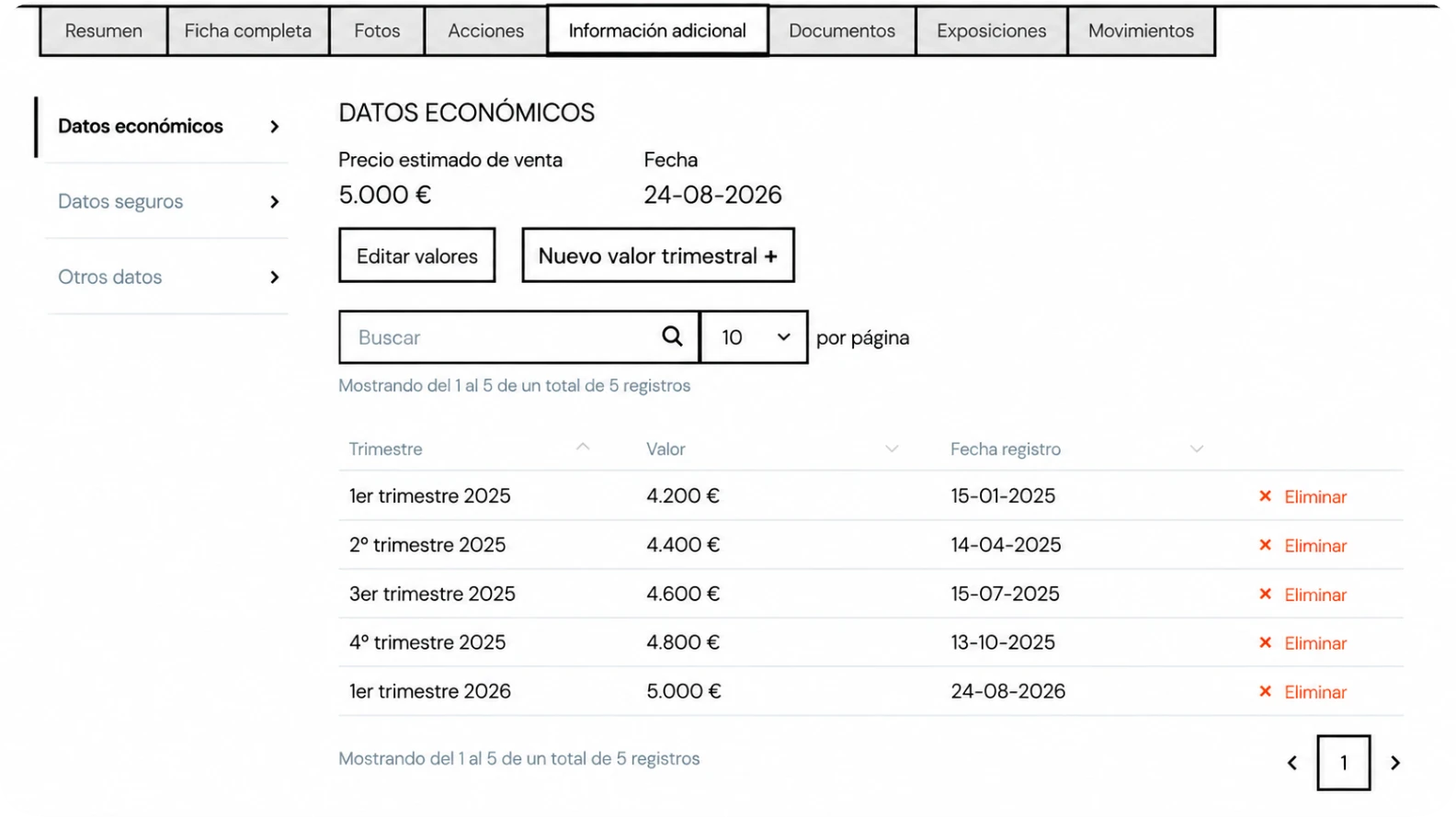
Record acquisition prices, valuations and other financial data for each artwork to keep your collection’s history and value up to date.

Key features


  • Acquisition details Record the acquisition price and other financial data for each artwork.
  • Valuation history See the valuations recorded for each piece without losing previous information.

  • Periodic valuations Add quarterly values and keep track of how they evolve over time.
  • Insurance details Keep the information needed to manage each artwork’s insurance coverage linked to it.

Every document, linked to the artwork

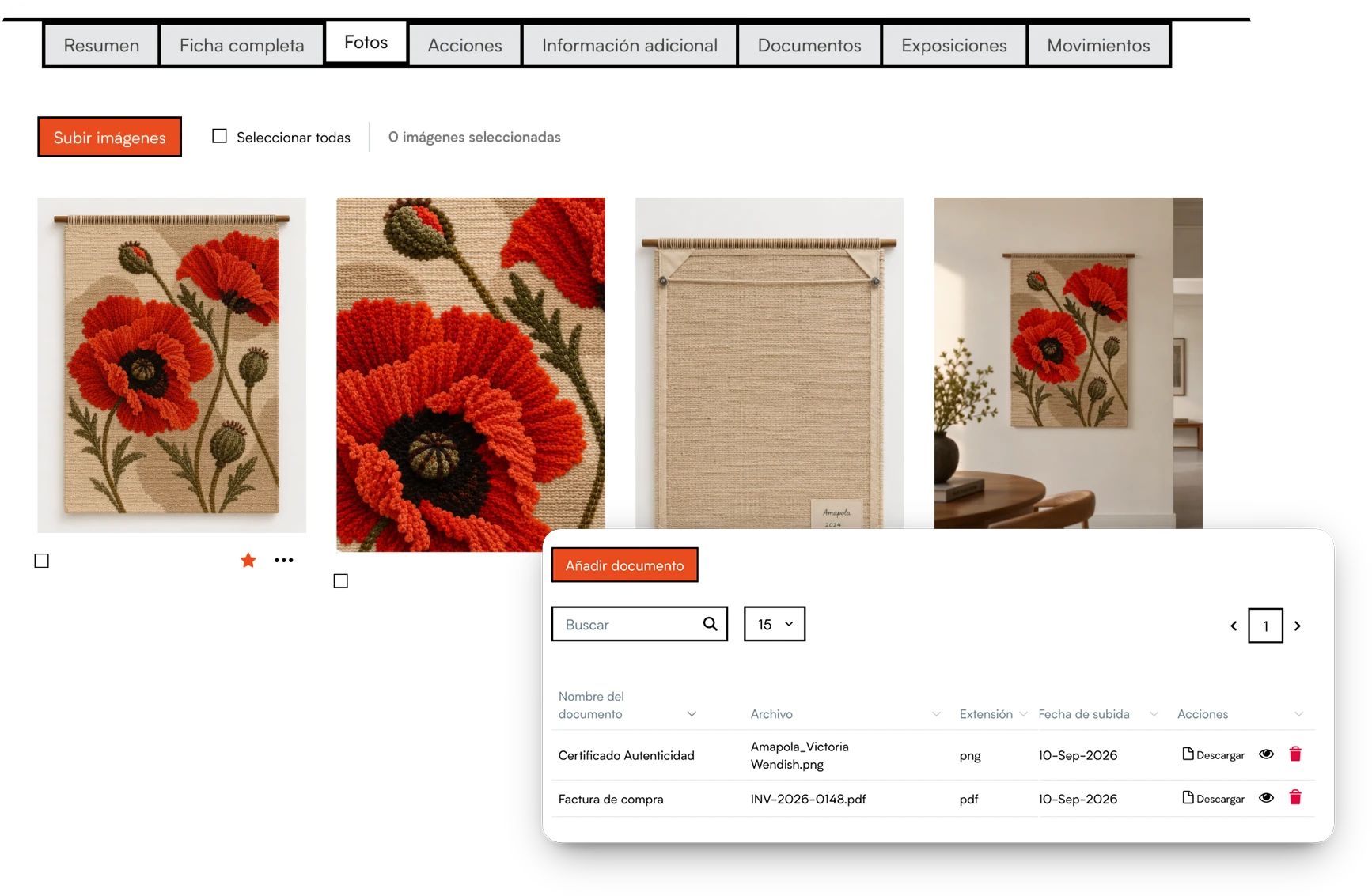
Keep photos, certificates, invoices, dossiers and documents linked to each artwork.

Key features


  • All the images you need Add as many photos as you need to each artwork and keep different views, details or installation shots.
  • Control over what you share Decide which secondary images are included when you generate documents and which ones stay for internal use only.
  • Everything centralized See images and documents alongside the rest of the artwork’s information, without hunting for files in separate folders or systems.

  • Organize each artwork’s images Set one image as the main image and add secondary images to complete the piece’s visual record.
  • Documents attached to each artwork Store certificates, invoices, reports, acquisition documents and any other file directly in the artwork’s record.

Generate PDFs and documents

Select the artworks you need and create PDFs, fact sheets and other documents using the information stored in your database.

Key features


  • Documents for every occasion Generate artwork sheets, lists, tables and other documents from your collection’s information.
  • Export to Word Download your documents in Word format when you need to edit them or make changes before sharing them.

  • Ready to share Create PDF documents ready to download, print or send.
  • From the app, too Generate and share documents from your iPhone or iPad when you’re away from your computer.

Security infrastructure

Your data, always protected

Protected servers, automatic backups and encryption to keep your collection safe.

  • 100% private & confidential
  • Servers in Europe
  • Full access control
  • Data encryption

App for collectors

Your collection, always with you

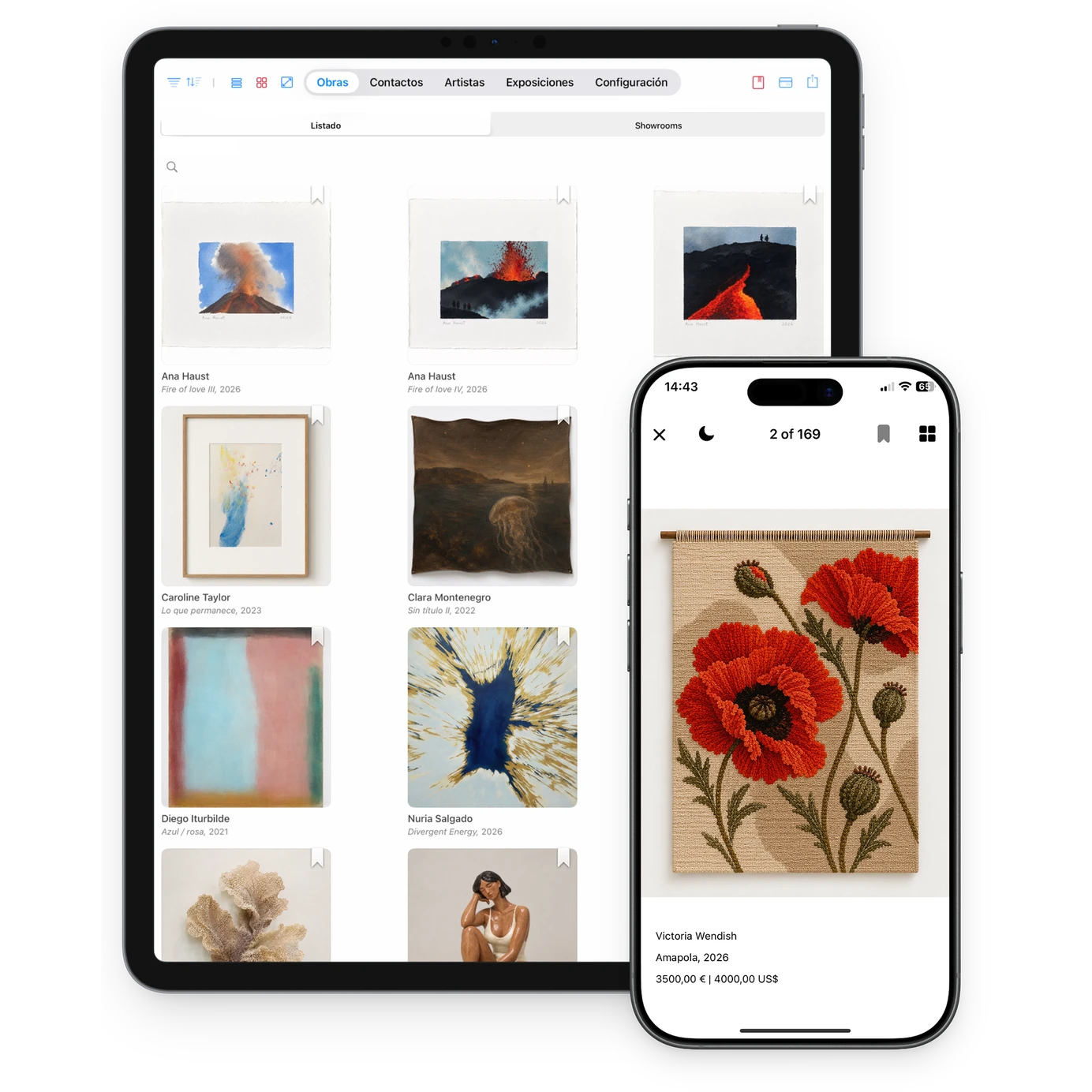
Look up artworks, artists, documents and locations on your phone or tablet, wherever you are. Access your collection whenever you need it, even offline. For iPhone, iPad and Android.

Showrooms

Share your collection privately

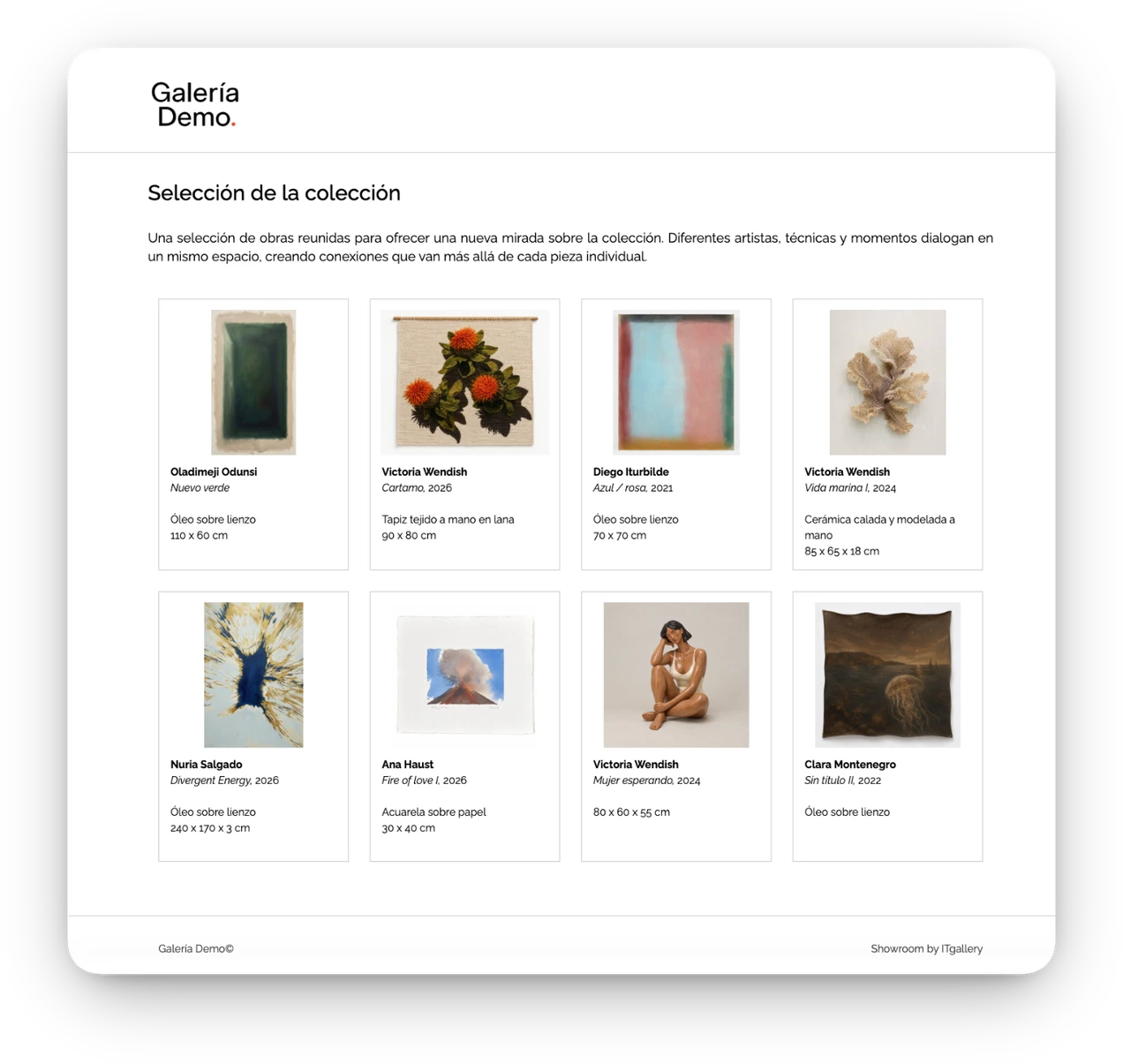
Create selections of artworks and share them on a web page with your own branding. Control access with a password and decide which information to show in each case.

Data migration

Your archive comes with you

Switching systems doesn’t mean starting from scratch. We help you move the information on your artworks, contacts and activity so you can start working in ITGallery with your archive already organized. We take care of the migration and support you throughout the switch.

  1. STEP 1 Export your current data An Excel export is usually all it takes.
  2. STEP 2 We prepare the migration We review your data and adapt it if needed.
  3. STEP 3 We import everything Artworks, contacts, exhibitions, sales, images and documents.
  4. STEP 4 Review it and get to work We check everything with you before you start using ITGallery.
Learn more about migrations
Before you decide

Common questions

The questions we hear most before people get started. If something is missing, write to us and we’ll give you a straight answer.

Why use software to manage an art collection?

Because a collection is much more than a list: each artwork has provenance, documents, valuations, insurance, a location and a story. Keeping it all in a single record avoids losing information and lets you find it when you need it.

How can I catalog my art collection?

By entering each artwork with its artist, title, date, technique, dimensions and images, and adding whatever you have: purchase invoice, certificate, valuations, location. You can start with the basics and complete the information little by little.

What information can I store about an artwork?

Technical details, images, provenance, acquisition price and valuations, insurance details, location and history of movements, exhibitions and loans, and any related document. In several languages, too.

Can I store certificates and documents?

Yes. Certificates of authenticity, invoices, reports, policies or any other file are stored directly in the artwork’s record, alongside its images, and you have them at hand in the app too.

How can I share information about my artworks with galleries and advisors?

With a private, password-protected showroom where you choose which artworks and details to show; with a PDF generated on the spot; or, if the other party also uses ITGallery, by connecting your accounts.

Is my collection’s data protected?

Yes. Your data is stored on servers in the European Union, with daily backups and encrypted connections. Your collection is private and we never share your data with third parties.

Start whenever you’re ready

Start your 15-day free trial

No commitment. Explore ITGallery and see if it fits the way you work.

3,000+
art professionals work with ITGallery
10+ years
supporting galleries, artists and collectors
15 days
free trial, no credit card