Skip to content

AI for collectors

Ask your collection

Connect ITGallery to Claude or ChatGPT and explore your collection by typing the way you talk: where each artwork is, what you own by an artist or which editions make up a series. Read-only, private, with your permissions and included from the Premium plan up.

Your AI assistant ITGallery connected

Which works by Diego Iturbe do I own, and where is each one?

Looked up in ITGallery · search artworks · 3 results

You have 3 works by Diego Iturbe: two at the Madrid home and one in storage.

  • Blue and ochre 2019 · Oil on canvas · 120 × 90 cm · Madrid home In collection
  • Pink and yellow 2021 · Acrylic on canvas · 80 × 60 cm · Madrid home In collection
  • Black and green 2016 · Mixed media · 50 × 50 cm · Storage In collection

Shall I put together a list of the three with dimensions and images for the insurer?

Read-only
it reads, never changes anything
Your permissions
sees what you see in ITGallery
Claude & ChatGPT
with your own account
Premium
included at no cost from this plan up

What you can ask

Your collection, one question away

  • What you own by each artist “Which works by Diego Iturbe do I own?” And they appear in seconds, with their year, medium and dimensions.
  • Where each piece is Ask which artworks are in each home, in storage or elsewhere, based on the location you have in ITGallery.
  • Complete series See which editions of a series are part of your collection and the status of each one.
  • The value of what you own Ask about the prices you’ve recorded, by artist or by period, if your user can see them.
  • What you’ve sold “Which works did I sell this year, and to whom?” From the sales you record in ITGallery, only if you can see them.
  • Records for insurance Ask for a list with the dimensions, medium and images of the artworks in a location for your insurer or an appraiser.

How it works

Connected in minutes

There’s nothing to install: you connect from your assistant, and the connection stays on until you disconnect it.

  1. STEP 1 Choose who uses it It’s included at no cost in the Premium and Professional plans. You use it yourself and, if someone manages your collection, you can give them the permission.
  2. STEP 2 Add ITGallery to your assistant In Claude or ChatGPT, create a custom connector with the URL mcp.itgalleryapp.com/mcp.
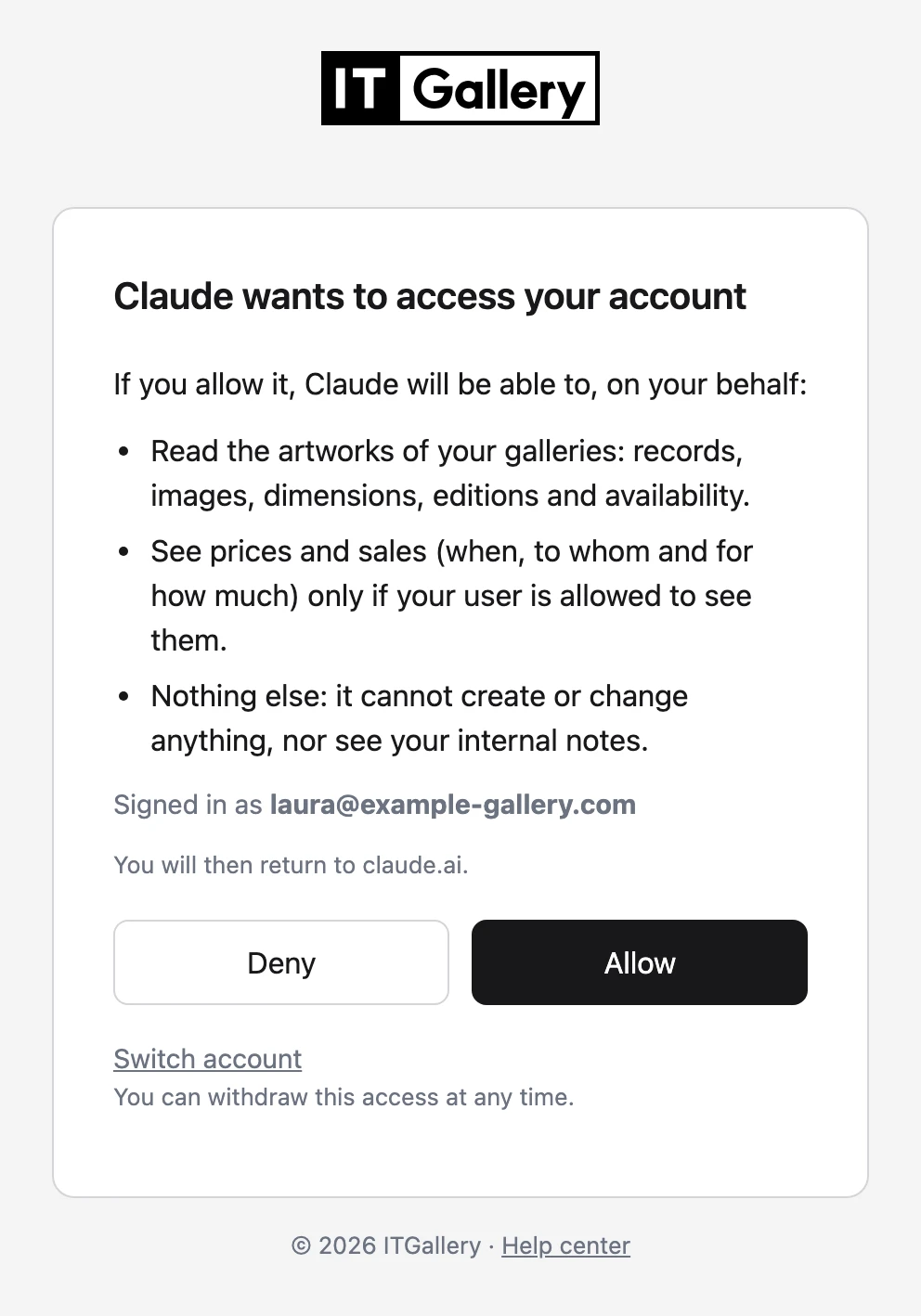
  3. STEP 3 Sign in and authorize Sign in with your ITGallery account and click “Allow.” If you use two-step verification, you’ll be asked for that too.
  4. STEP 4 Ask whatever you need Ask as if you were talking to whoever manages your collection. The assistant searches it and answers with its data.
See the step-by-step guide

Security

Your data, under your control

Your collection stays private. Before connecting, ITGallery shows you which assistant is asking for access and what it will be able to see, and only you decide whether to allow it.

  • Read-only: it can’t create, change or delete anything
  • Prices and sales, only if your user can see them
  • Never internal notes or buyer contacts
  • No one has it by default: an administrator grants it
  • Sign-in with your account and two-step verification
  • One-click disconnect from your user profile
Before you decide

Common questions

The questions we hear most about AI assistants. If something is missing, write to us and we’ll tell you.

Which plans include it?

In the Premium and Professional plans for collectors, at no extra cost: it isn’t charged separately. It isn’t available on the Basic plan. You use the assistant with your own Claude or ChatGPT account.

Who can ask about my collection?

Only you and the people you give permission to, for example whoever manages your collection. Each of them sees exactly what they see in ITGallery, not one detail more.

Can it change anything in my collection?

No. The assistant only reads: artworks, editions, locations and, if your user can see them, prices and sales. It can’t create, change or delete anything in ITGallery.

Where does the data it reads go?

What the assistant reads in ITGallery goes to the provider of the assistant you use (Anthropic for Claude, OpenAI for ChatGPT) to prepare the answer, and stays in your conversation history under their terms. That’s why we recommend reviewing your account’s privacy settings. ITGallery keeps a technical log of queries, but doesn’t see your conversations.

Can I stop using it whenever I want?

Yes. In your ITGallery user profile you can see which assistants are connected and disconnect them in one click; access is cut off on the next query.

What do I need to use it?

A Premium plan or higher, the permission enabled on your user and a Claude or ChatGPT account that supports custom connectors. In Claude, every plan works, including the free one; in ChatGPT, it depends on the plan.

Included from the Premium plan up

Try it with your collection

Included at no cost in the Premium and Professional plans for collectors. Already work with ITGallery? Write to us and we’ll turn it on for your account.

3,000+
art professionals work with ITGallery
10+ years
supporting galleries, artists and collectors
€0
extra cost from the Premium plan up